Capture Every Smile: The Ultimate Baby Month Milestone Canva Template
Time moves incredibly fast in the first year of life. One moment you are bringing a newborn home, and the next they are sitting up and reaching for toys. For parents, photographers, and content creators, documenting this rapid growth is essential, but it often falls to the bottom of the to-do list because of the effort required. This is where the Baby Month Milestone Canva Template steps in as a practical, time-saving solution. It is designed to bridge the gap between a fleeting moment and a permanent memory, offering a structured yet flexible way to celebrate each month of a child's first year.
A Practical Design for Modern Memories
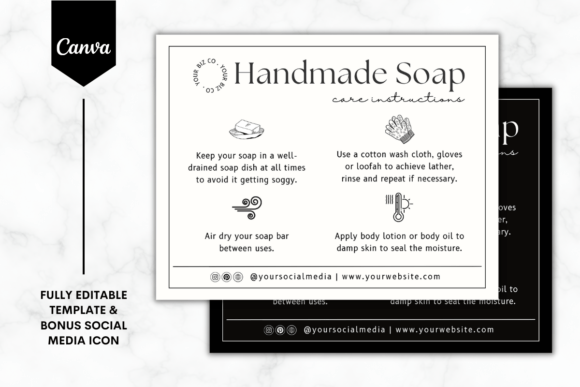
At its core, this template is a tool for consistency. It provides a standardized layout that ensures every monthly update looks polished and professional, whether you are a parent sharing photos with family or a blogger building a visual timeline for your audience. The design avoids the overly complex or cluttered aesthetics that can distract from the subject—the baby. Instead, it focuses on clean lines and ample white space, allowing the photograph to take center stage. The overall appeal lies in its simplicity; it does not scream for attention but rather frames the moment with quiet elegance. This makes it a versatile design asset that can adapt to various styles, from minimalist to soft and playful, depending on the photo and text you add.
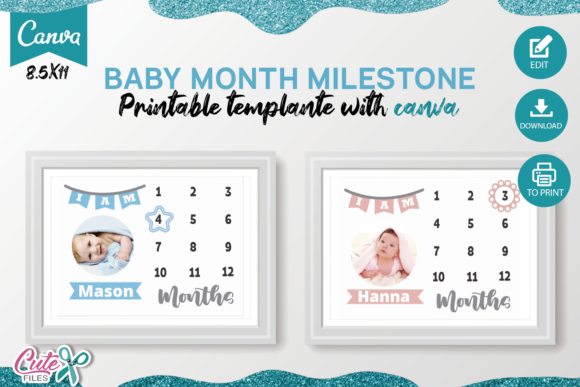
The template includes two pages in US Letter size (8.5 x 11 inches), which is ideal for both digital sharing and standard printing. This dual-page setup offers variety, allowing you to choose a layout that best fits each month's photo or mood. Whether you are creating a physical scrapbook or a digital album, the dimensions are familiar and accessible. The fact that it is customizable in Canva—whether you use the free or paid version—removes a significant barrier to entry. You do not need advanced software like Adobe Illustrator or InDesign to achieve a professional result. Canva's user-friendly interface means that even those with no design background can make meaningful edits in minutes.
Flexibility That Adapts to Your Story
What makes this template particularly useful is its built-in adaptability. The instruction to "edit the texts with your information: Child's name" and "move the star or the flower to indicate how many months it is" transforms a static design into a dynamic storytelling tool. These small, intentional customizations allow you to personalize each milestone marker. The ability to change the baby's photo is, of course, the fundamental feature, but these additional elements—like the movable star or flower—add a layer of interactive charm. They serve as visual cues that guide the viewer's eye and reinforce the monthly theme without overwhelming the image.
From a brand identity perspective, if you are a blogger, photographer, or small business owner, this template can become a recognizable part of your content series. Using a consistent style for monthly updates helps build audience recognition and establishes a professional tone. For personal use, it creates a cohesive visual story that is far more impactful than a random collection of photos. The template works beautifully for social media graphics, particularly for platforms like Instagram or Pinterest where visual consistency drives engagement. It can also be printed and framed, used in a baby book, or shared digitally with grandparents who live far away. The applications are genuinely broad, limited only by how you choose to tell your story.
Real-World Applications and Design Considerations
When working with a template like this, it is helpful to think about how design principles influence the final product. The layout likely uses a sans serif font or a clean script font for headings, paired with a simple typeface for details. This combination ensures readability while maintaining a warm, personal feel. If you are customizing, consider how the text interacts with your photo. A busy background might require a slight drop shadow or a semi-transparent overlay behind the text to maintain legibility. The template's structure should guide you here, but it is always worth previewing the final result on different devices if you plan to share it digitally.
For those considering this for commercial use—perhaps as a photographer offering milestone packages or a content creator selling digital products—it is important to verify the licensing terms included with the template. The provided PDF file with the access link should outline any usage restrictions. Generally, templates sold on platforms like Etsy or Creative Market allow for commercial use in end products, but it is crucial to read the fine print. This ensures you are using the commercial font and design elements appropriately, especially if you are creating prints for clients or selling the final designs.
Evaluating the template's fit for your project is straightforward. Ask yourself: Does the visual style align with the personality I want to convey? For a baby girl, you might prefer softer pastels; for a boy, perhaps earthy tones. The template's neutral design should accommodate either, but your photo choice and color adjustments will set the final tone. Test the font pairing by seeing how your child's name looks in the designated space. If the name is long, you may need to adjust the font size or tracking slightly. Canva makes these adjustments simple, so you can experiment until it feels just right.
Ultimately, the value of a Baby Month Milestone Canva Template lies in its ability to simplify a meaningful task. It removes the friction of designing from scratch, allowing you to focus on what truly matters: capturing the fleeting details of your child's growth. Whether you are a new parent overwhelmed by the pace of change or a creative professional looking for a reliable tool to serve your clients, this template offers a practical, beautiful solution. It is not just a design file; it is a framework for preserving memories with clarity and style.