Create Professional Book Covers with KDP Cover Template Canva
For independent publishers and content creators, the book cover is the first handshake with a potential reader. It needs to communicate genre, quality, and professionalism in a single glance. Designing a cover that meets Amazon KDP’s precise technical specifications while also standing out in a crowded marketplace can be a significant hurdle. A well-structured KDP Cover Template Canva bridges this gap, offering a direct path from a creative idea to a print-ready file. These templates provide the exact canvas size, bleed guidelines, and spine calculations needed, removing the technical guesswork and allowing you to focus on the creative work of making your cover compelling.
Understanding the Anatomy of a KDP Cover Template
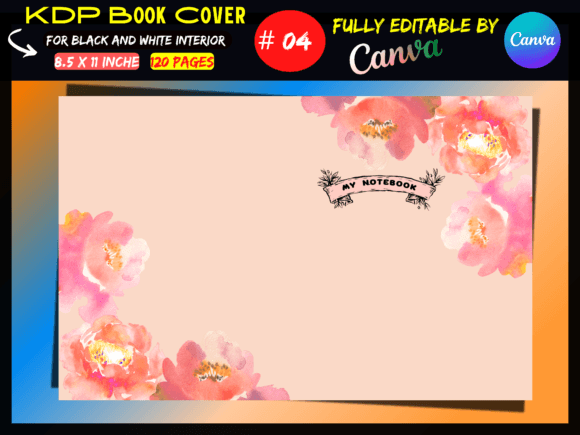
A professional KDP Cover Template Canva is more than just a blank page. It’s a precise digital blueprint designed for the specific book size and page count you specify. For instance, a common template for a standard 8.5 x 11 inch paperback with 120 pages will have a cover dimension of 17.52 x 11.25 inches. This larger canvas is essential because it incorporates the front cover, back cover, and the spine width, which is calculated based on your interior page count. The template will typically include guides for the "safe zone," ensuring critical elements like your title and author name are not cut off during printing, and the "bleed area," where background colors or images should extend to prevent unprinted edges.
The visual personality of a template itself is neutral—its purpose is to be a reliable container. However, its overall appeal lies in the structure it provides. It enforces professional standards from the start. When you open a KDP Cover Template Canva, you’re not just getting dimensions; you’re getting a framework that aligns with industry print requirements. This structure is the foundation upon which you build your brand identity. Whether you’re designing a serif font-heavy cover for a historical novel or a minimalist sans serif font design for a business guide, the template ensures the final product is technically sound.
Practical Applications for Creators and Entrepreneurs
The true value of a KDP Cover Template Canva unfolds in its application across various projects. For entrepreneurs and small business owners, a series of workbooks, planners, or guides can be published efficiently using the same template size, creating a cohesive collection that strengthens brand recognition. Bloggers and content creators repurposing their material into a lead magnet or a saleable ebook benefit from the speed a template offers. The design process becomes an exercise in editorial design and visual hierarchy—using scale, contrast, and placement to guide the reader’s eye from the title to the subtitle and author name.
When selecting a creative font for your cover, the template environment allows for immediate testing. You can evaluate how a display font pairs with a script font for a romance novel, or how a clean modern typography approach works for a tech manual. The template helps you assess readability at thumbnail size, a critical factor for online sales. A strong font pairing on a well-structured template can influence brand perception, making a self-published book look as polished as one from a traditional publishing house. This professionalism builds trust and can significantly impact audience engagement and click-through rates on retail platforms.
Maximizing Your Design with Canva Integration
The integration with Canva is a game-changer for accessibility. You receive a link to a fully editable Canva file, which means you can customize every element using the free version of the software. This democratizes professional book cover design. You can swap placeholder images, adjust color schemes to match your brand identity, experiment with different typeface combinations, and tweak layouts until they feel right. The ability to download your final design as a high-quality PDF or JPEG ensures it is print-ready and meets KDP’s upload specifications.
This process is invaluable for designers and marketers managing multiple projects. It streamlines the workflow, turning a potentially complex task into a manageable one. The template acts as a design asset, saving hours of setup time. For hobbyists and crafters, it removes the intimidation of professional print requirements, allowing them to focus on the fun part: the creative expression. Remember, the template is for the cover only; the interior layout is a separate component. By starting with a tested, specification-compliant template, you ensure the exterior of your book is flawless, letting the interior content you’ve worked hard on shine through a professional package.
When evaluating your final cover, step back and view it as a consumer would. Does the typography create a clear visual hierarchy? Does the overall style communicate the right genre and tone? A premium font choice can elevate a design, but it must serve the project’s goals. Test the cover at small sizes to ensure the title remains legible. Consider how the back cover elements—blurb, author bio, barcode area—function within the template’s guides. This holistic review, made possible by the structured template, is what separates an amateur effort from a professional publication. Ultimately, a KDP Cover Template Canva is a powerful tool that empowers you to produce consistent, high-quality work, build a recognizable author or brand presence, and engage your audience effectively from the very first point of contact.